

FXTM (ForexTime) is an international online broker. The company offers trading in currency pairs, CFDs on stocks, indices, commodities, and cryptocurrencies.
Brief Overview of FXTM (ForexTime)
FXTM, short for ForexTime, is a well-established global online broker founded in 2011, specializing in forex and CFD trading. It serves over 3 million clients worldwide, offering access to a wide range of markets including forex, commodities, indices, stocks, and metals through intuitive platforms like MetaTrader 4 (MT4) and MetaTrader 5 (MT5). Known for its competitive spreads starting from 0.0 pips, low commissions, and fast execution, FXTM emphasizes trader education, fund security, and 24/5 customer support in multiple languages. The broker caters to both beginners and experienced traders with demo accounts, educational resources, and innovative tools like copy trading. As of 2025, FXTM continues to expand its offerings, including enhanced mobile trading and stock investments, making it a reliable choice for diversified portfolios.
Regulation and Safety
FXTM operates under multiple reputable regulatory bodies, ensuring a high level of safety and transparency for clients. Its primary entities are regulated by:
- Financial Conduct Authority (FCA) in the UK (top-tier regulator, FSP No. 777911).
- Cyprus Securities and Exchange Commission (CySEC) in Cyprus (License No. 185/12).
- Financial Sector Conduct Authority (FSCA) in South Africa (License No. 50320).
- Financial Services Commission (FSC) in Mauritius (License No. C113012295).
- Securities and Commodities Authority (SCA) in the UAE (License No. 20200000270).
Client funds are segregated from company assets and protected up to €20,000 under the Investor Compensation Fund for EU clients, with additional private insurance coverage up to $1 million through Lloyd’s of London for non-EU clients. FXTM adheres to strict anti-money laundering (AML) policies and uses advanced encryption for data security. Overall, these measures make FXTM a low-risk broker, with no major regulatory violations reported in 2025.
Trading Accounts at FXTM
FXTM offers a streamlined selection of live trading accounts tailored to different trader needs, plus a free demo account for practice. The main accounts include the Edge (formerly Micro), Advantage, Advantage Plus, and a dedicated Stocks account. Below is a comparison table highlighting key features:
| Account Type | Minimum Deposit | Spreads (from) | Commission | Leverage (up to) | Ideal For | Key Features |
|---|---|---|---|---|---|---|
| Edge | $10 | 1.3 pips | None | 1:1000 | Beginners | Simple entry, no commissions, basic tools |
| Advantage | $200 | 0.0 pips | $2/lot | 1:1000 | Intermediate traders | Tight spreads, Swap-free option available |
| Advantage Plus | $500 | 0.0 pips | $4/lot | 1:200 | Advanced/ECN traders | ECN execution, faster speeds, VPS access |
| Advantage Stocks | $100 | Market-based | None | 1:5 | Stock investors | 600+ US stocks, fractional shares, no CFDs |
All accounts support MT4/MT5 platforms and offer negative balance protection. Islamic (Swap-free) versions are available across all types.
How to Create an FXTM Account
Making an FXTM account is quick and easy. It takes 5-10 minutes. Verification is 1 day. Try a demo first for practice with fake money. Here are the steps:
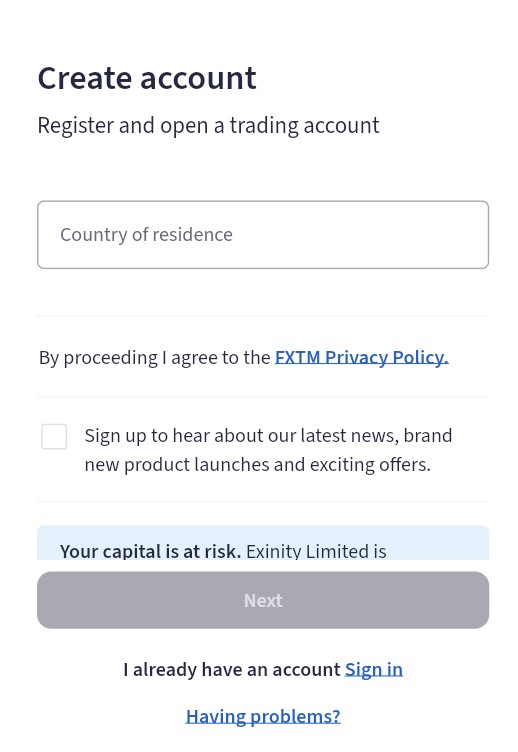
- Go to the Site: Visit official website FXTM. Click “Open Account” at the top.
- Enter Basic Info: Add your name, country, phone, email, and password. Pick SMS or email for code. Type the code they send.
- Log In: Open the welcome email link. Enter your dashboard.
- Add Details: In “My Profile,” put birth date, job, address, income, and experience. Answer easy risk questions. This sets your leverage.
- Choose Account: In “Accounts,” pick Edge ($10), Advantage ($200), Advantage Plus ($500), or Stocks ($100). Add currency, leverage, and MT4 or MT5. Open it now.
- Verify ID: Upload ID (passport) and address proof (bill). FXTM checks in 1 day. Get email OK. One profile = up to 10 accounts.
Tips: Have docs ready. Good Wi-Fi. Ask support for help. Demo skips verify and deposit.
FXTM Login Process
Logging in is fast and safe. Use MyFXTM to see trades and money. Apps and MT have own logins. Add 2FA code for extra safety. Steps:
- Go to Login: To my.fxtm.com. Or open FXTM app.
- Add Info: Type email or account number and password.
- Check Code: Enter 2FA from phone or email. Click “Login.”
- Use It: See prices in “Trade.” Switch accounts. Open MT4/MT5. For MT: Login with number, password, server.
Platforms for Trading with FXTM
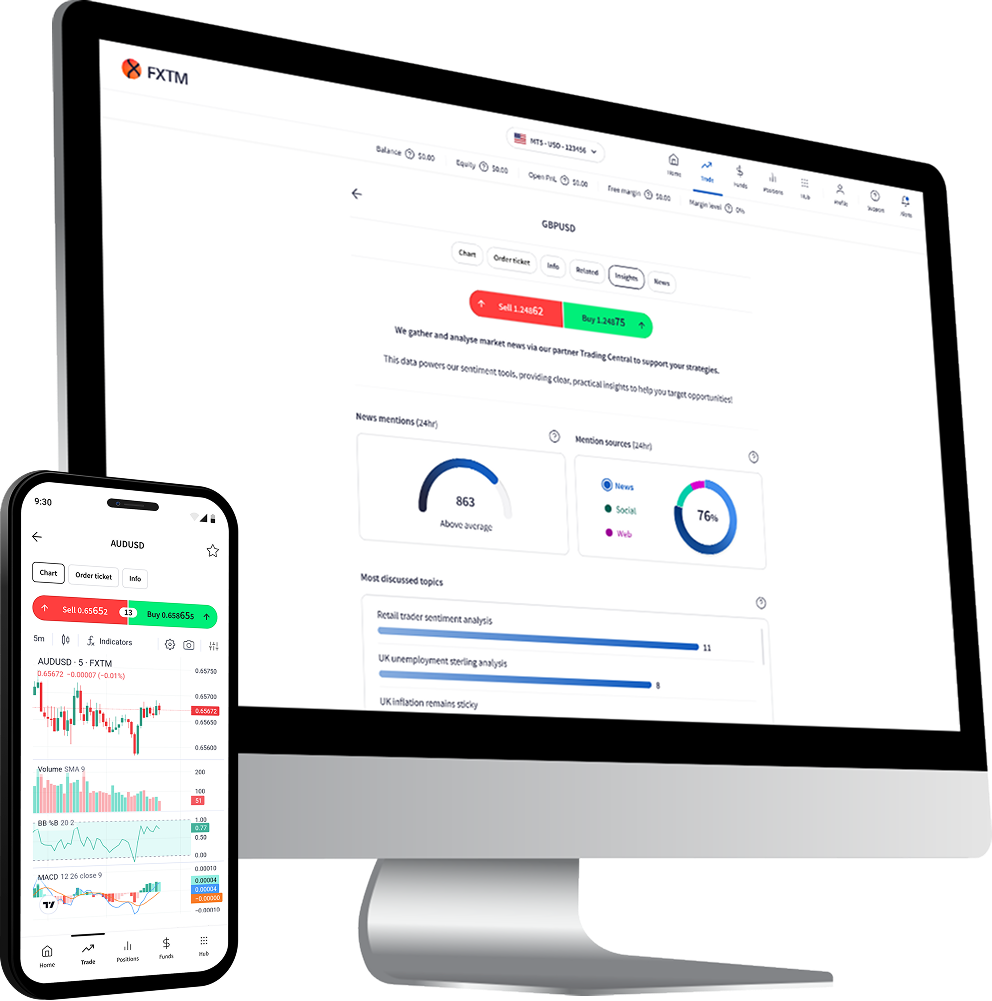
FXTM provides robust, user-friendly platforms compatible with desktop, web, and mobile devices, primarily powered by MetaTrader 4 and 5 for seamless execution.
Desktop and Web Platforms
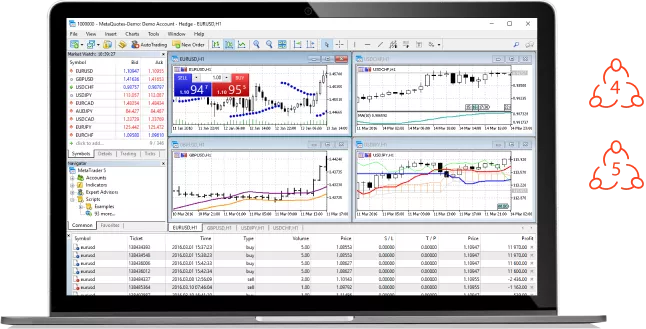
FXTM’s desktop platforms are the industry-standard MetaTrader 4 (MT4) and MetaTrader 5 (MT5), ideal for in-depth analysis and automated trading via Expert Advisors (EAs). MT4 suits beginners with its simplicity, while MT5 offers advanced multi-asset capabilities and more timeframes.
Downloading and Installing Desktop Versions:
- Visit the FXTM website (forextime.com) and navigate to the “Trading Platforms” section.
- Select MT4 or MT5, then choose the download for your OS (Windows/Mac).
- Download the .exe (Windows) or .dmg (Mac) installer file.
- Run the installer: Double-click the file, accept the terms, and follow on-screen prompts (e.g., choose installation directory, then “Next” until complete—typically takes 2-5 minutes).
- Launch the platform, enter your FXTM login credentials (account number, password, and server from your welcome email), and connect to trade.
For web trading, use the built-in WebTrader—no download required. Access it via the FXTM client portal in any browser for quick chart analysis and order placement.
Mobile Trading
Mobile trading is facilitated through the FXTM Trader app (proprietary) and native MT4/MT5 mobile apps, enabling on-the-go access to charts, signals, and one-tap trading with push notifications.
Downloading and Installing Mobile Apps:
- For iOS: Open the App Store, search “FXTM Trader” or “MetaTrader 4/5,” and tap “Get” to download (free, ~50MB).
- For Android: Open Google Play Store, search for “FXTM Trader” or “MetaTrader 4/5,” and tap “Install” (free, compatible with Android 5.0+).
- Once installed, open the app, select “New Account” or “Login,” enter your FXTM credentials (account number, password, server), and verify via email/SMS if prompted.
- Customize settings (e.g., add quotes for your instruments) and start trading—installation takes under 1 minute.
The apps support full functionality, including copy trading and economic calendars, with offline quote storage.
Instruments Available for Trading
FXTM provides over 250 instruments across major asset classes, allowing for diversified strategies. Here’s a categorized list:
- Forex: 50+ pairs, including majors (e.g., EUR/USD, GBP/USD), minors (e.g., EUR/GBP), and exotics (e.g., USD/TRY).
- Metals: Spot Gold (XAU/USD), Silver (XAG/USD).
- Commodities: Energies (UK Brent Oil, US Crude Oil, Natural Gas), Softs (Cocoa, Coffee – Arabica/Robusta), Metals (Copper), Grains (Corn).
- Indices: Global CFDs like US500 (S&P 500), NAS100 (Nasdaq 100), UK100 (FTSE 100), GER30 (DAX), and more.
- Stocks: 600+ US shares (e.g., Apple, Tesla, Amazon) via the Advantage Stocks account, including fractional shares.
- Stock CFDs and Baskets: CFDs on major indices and pre-built stock baskets for thematic investing.
Trading is available 24/5 for forex and select others, with leverage up to 1:1000 on forex.
Payment Methods: Deposits and Withdrawals at FXTM
FXTM supports flexible funding with a minimum deposit as low as $10 (Edge account), varying by region and method. Deposits are instant for most e-wallets and cards, with no fees from FXTM.
Deposit Methods:
- Credit/Debit Cards (Visa, Mastercard): Instant, min $10.
- E-Wallets (Skrill, Neteller, FasaPay): Instant, min $5-$10.
- Bank Wire Transfer: 1-3 days, min $100.
- Local Options: M-Pesa (Africa), UPI (India), Ghana Local Transfer, and crypto (e.g., USDT via TRC20 for select regions).
Withdrawal Methods:
- Same as deposits for consistency; bank wire or e-wallets for profits only.
- Processing: 1 hour for e-wallets/crypto, 1-3 days for wires; free for most, but $3 fee for small crypto withdrawals (<$30).
- Verification required (KYC) for security; limits up to $10,000/day via e-wallets.
In 2025, FXTM has expanded crypto options for faster global access.
Education and Research Tools
FXTM’s Knowledge Hub is a comprehensive resource center designed to build trader skills, from basics to advanced strategies. It includes:
- Educational Content: Free eBooks, video tutorials, webinars, and seminars on topics like forex fundamentals, technical analysis, and risk management.
- Research Tools: Daily market analysis, economic calendar, pivot points calculator, trading signals, and real-time news feeds.
- Calculators: Pip, margin, and swap tools for precise position sizing.
- Advanced Features: Copy trading via FXTM Invest, sentiment tools, and a strategy tester in MT5.
These resources are accessible via the client portal and apps, with multilingual support—ideal for beginners but also valuable for pros seeking market insights.
FXTM Support Service and User Assistance
FXTM provides reliable 24/5 support in 18+ languages, including English, Arabic, Chinese, and Spanish. Channels include live chat (instant responses), email, phone (toll-free in select regions), and a comprehensive FAQ/help center. Clients also get a dedicated Account Service Manager for personalized guidance.
Reviews in 2025 highlight fast, knowledgeable responses, though some users note occasional delays during peak hours. Trustpilot rates it 4.2/5 overall, praising execution speed and multilingual help, with minor complaints on withdrawal verification times. Overall, support is proactive and trader-focused.
Conclusion
FXTM stands out as a trustworthy, versatile broker in 2025, blending strong regulation, competitive costs, and user-centric features like diverse accounts and top-tier platforms. It’s particularly appealing for forex enthusiasts and stock investors seeking low-risk entry with robust education. While spreads and fees are competitive, advanced traders might want more exotic instruments. If you’re ready to trade securely with global access, FXTM is a solid pick—start with a demo to explore.