
Trusted global broker providing multi-asset trading with low costs and powerful platforms.
SEC, CFTC, FCA, ASIC, IIROC, SFC, MAS
Interactive Brokers (IBKR) is one of the world’s most established and respected online trading firms, known for its wide market access, institutional-grade tools, and ultra-low trading costs. Founded in 1978 and headquartered in the United States, IBKR has become a top choice for professional traders, hedge funds, and investors who value transparency, speed, and efficiency.
What truly sets Interactive Brokers apart is its combination of advanced trading technology, global regulation, and deep market access — providing clients with the flexibility to trade over 150 markets worldwide from a single account.
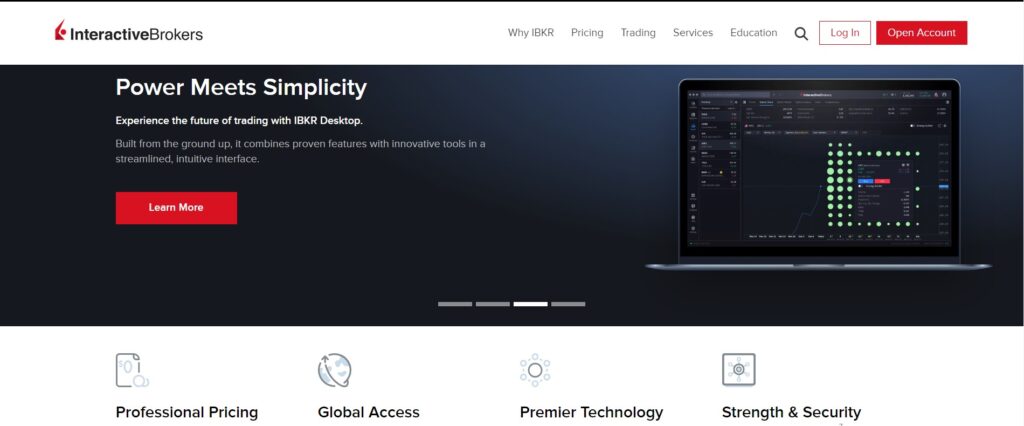
Regulation and Safety Standards at Interactive Brokers
Interactive Brokers operates under strict oversight from several top-tier financial regulators, ensuring client security and operational transparency. The company is regulated by:
- SEC – U.S. Securities and Exchange Commission
- CFTC – U.S. Commodity Futures Trading Commission
- FCA – Financial Conduct Authority (UK)
- ASIC – Australian Securities and Investments Commission
- IIROC – Investment Industry Regulatory Organization of Canada
- MAS – Monetary Authority of Singapore
- SFC – Securities and Futures Commission (Hong Kong)
Client funds are held in segregated bank accounts, separated from company capital, and insured under the Securities Investor Protection Corporation (SIPC) up to $500,000. SSL encryption and two-factor authentication add another layer of security, ensuring traders’ personal and financial data are always protected.
How to Open an Interactive Brokers Account
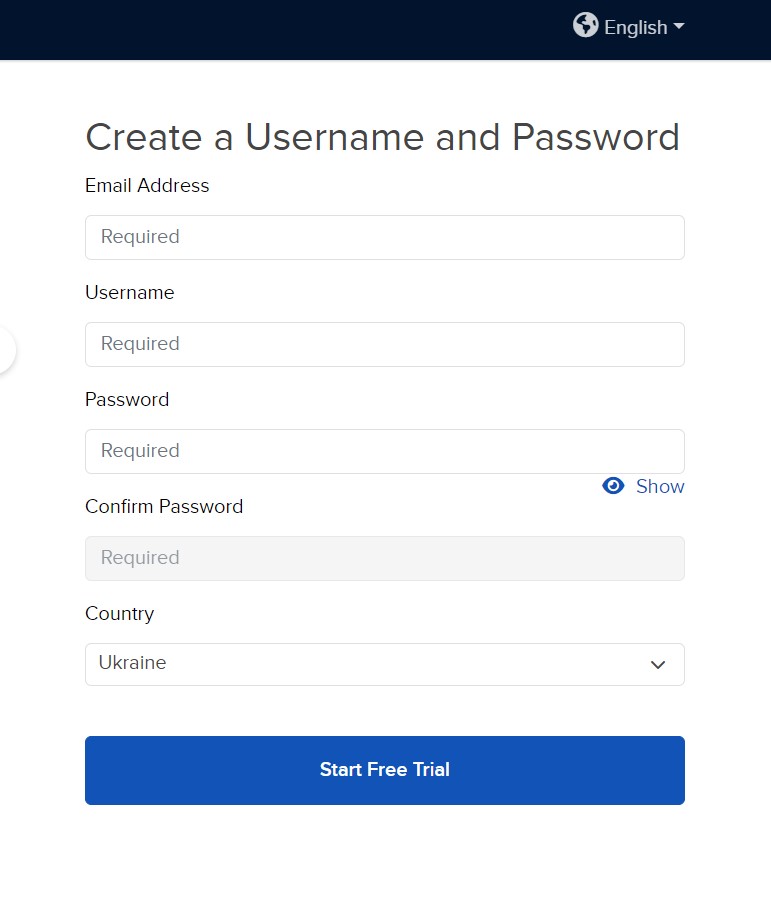
Opening an account with Interactive Brokers is fully digital and takes just a few steps:
- Visit the official IBKR website.
- Click “Open Account” and select your country of residence.
- Complete the registration form with your personal and financial details.
- Choose your trading platform and account currency.
- Confirm your email and submit the application.
After submission, you’ll receive a confirmation email and can track your application status. Once approved, you’ll gain access to your IBKR Client Portal, where you can deposit funds and start trading.
Logging In and Navigating Your IBKR Dashboard
To access your trading area, go to the IBKR Client Portal or open the Trader Workstation (TWS) platform. Use your registered email and password to log in.
The dashboard provides full control of your account — from viewing balances, managing orders, and analyzing performance to accessing research tools and statements. Users can also enable two-factor authentication (2FA) for extra protection and manage multiple sub-accounts from a single interface.
Account Verification and Security Procedures
Before you can trade live, Interactive Brokers requires all users to complete KYC (Know Your Customer) verification. This ensures regulatory compliance and protects both client and broker.
Verification steps include:
- Uploading a photo ID (passport, national ID, or driver’s license).
- Providing proof of address (recent bank statement or utility bill).
Verification typically takes one business day, after which all trading and withdrawal functions become available. Interactive Brokers also uses encryption and multi-layered data protection to secure user information and prevent unauthorized access.
Interactive Brokers Account Types and Trading Conditions
IBKR offers several account types to meet the needs of both individual and institutional traders:
- Individual Account – for single traders or investors.
- Joint Account – for shared trading and investing.
- Corporate / Institutional Account – for funds, advisors, and trading firms.
- Retirement and Trust Accounts – for long-term investors.
Key conditions include:
- Low commissions starting from $0 on U.S. stocks.
- Leverage up to 1:50 for professional traders.
- No minimum deposit requirement for most regions.
- Tight spreads and direct market access (DMA).
Interactive Brokers also supports fractional shares, enabling small-scale investors to buy portions of expensive stocks like Apple or Amazon.
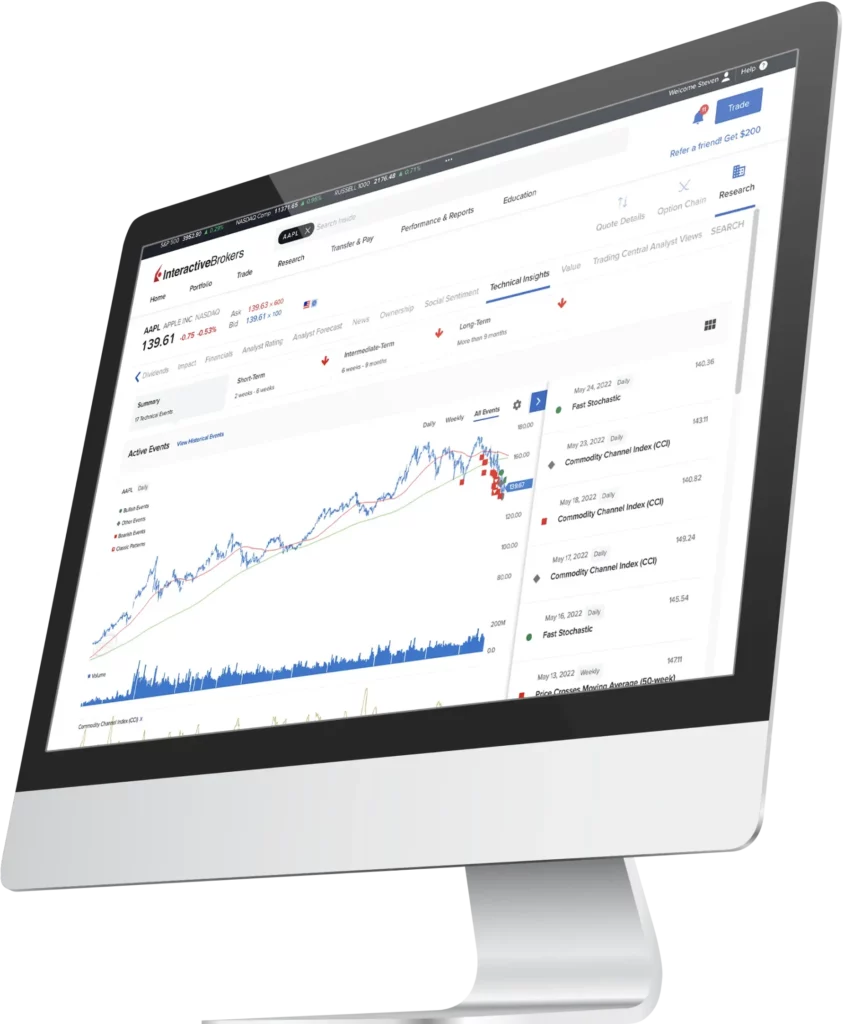
Platforms and Trading Technology
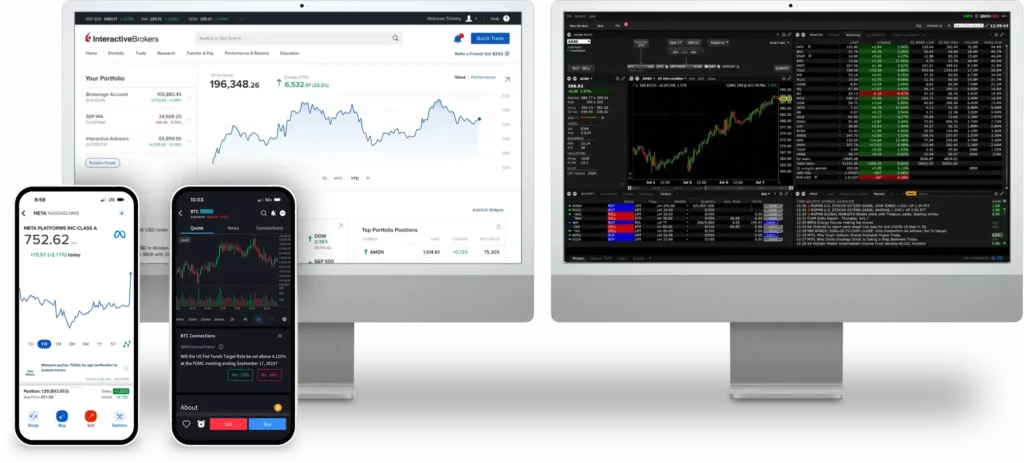
Interactive Brokers provides a suite of powerful trading tools suitable for both casual investors and professionals. Traders can choose between Trader Workstation (TWS), Client Portal WebTrader, and the IBKR Mobile App. Each platform is built for speed, transparency, and control.
WebTrader and Desktop Platforms Explained
Trader Workstation (TWS) is the flagship desktop platform offering advanced charting, algorithmic trading, and real-time analytics. It’s ideal for active traders who require depth of data and order flexibility.
Download and Installation Process:
- Windows:
- Go to the Interactive Brokers website → Trading Platforms → TWS.
- Click “Download for Windows” and run the installer.
- Follow on-screen instructions and log in with your IBKR credentials.
- macOS:
- Choose “Download for macOS” on the same page.
- Open the
.dmgfile and drag the app into your Applications folder. - Launch and sign in.
- Linux:
- Download the .deb or .rpm file from the official IBKR platform page.
- Open the terminal and install using
sudo dpkg -iorrpm -i. - Start TWS and log in with your credentials.
For those who prefer simplicity, WebTrader offers browser-based trading with no installation needed — compatible with Chrome, Firefox, and Safari.
Interactive Brokers Mobile App Experience
The IBKR Mobile App mirrors the functionality of the desktop version, allowing users to monitor markets, place trades, and manage portfolios from anywhere.
Installation Process:
- Android:
- Open Google Play Store.
- Search “IBKR Mobile”.
- Tap Install and sign in with your IBKR login details.
- iOS:
- Go to the App Store.
- Search “IBKR Mobile” and download the app.
- Log in securely using your existing credentials.
The app provides access to global markets, customizable alerts, real-time quotes, and secure biometric login options like fingerprint or Face ID.
Global Markets and Instruments Available for Trading
IBKR’s global reach spans 160+ exchanges in 36 countries, funding in 28 currencies for borderless investing. Tradable instruments include:
| Category | Examples | Key Markets |
|---|---|---|
| Stocks/ETFs | 10,000+ U.S., global equities, fractional shares | NYSE, NASDAQ, LSE, HKSE, 90+ centers |
| Options/Futures | Equity, index, commodity contracts | CBOE, CME, Eurex |
| Forex | 100+ pairs, 24/6 | Spot, forwards |
| Bonds/Funds | Treasuries, corporates, munis, 18,000+ no-fee mutual funds | U.S./global issuers |
| Crypto | BTC, ETH, SOL (11 coins, 24/7) | Paxos-integrated |
| Other | Forecast contracts (elections/climate), precious metals | Event-based markets |
Overnight U.S. trading adds flexibility.
Deposit, Withdrawal, and Payment Methods
IBKR supports efficient funding with no deposit fees and bank transfers as the primary method.
- Deposits: ACH (U.S., free, 1-3 days), wire ($10-35 fee, same-day), checks (3-5 days). Multiple currencies; international SEPA/SWIFT.
- Withdrawals: First monthly free (bank transfer); subsequent $10+ (e.g., $20 USD wire). ACH free for U.S.; 1-3 days processing. No crypto withdrawals.
- Methods: Bank wires, ACH, direct rollover (IRAs). No credit cards.
Processing: Weekdays only; verify banks first. Currency conversion at 0.002% (min $2).
Extra Features and Professional Tools by Interactive Brokers
Beyond basics, IBKR shines for pros with:
- API Suite: Unified API for automated trading in stocks/options/forex; supports Excel/FIX for custom algos.
- Algo Trading: 100+ order types (e.g., VWAP, TWAP) via IBKR BestX for optimal execution.
- Risk Tools: Risk Navigator for portfolio stress-testing; Probability Lab for options.
- Reporting: Real-time P&L, tax optimization, ESG Impact Dashboard.
- Other: Paper trading, mutual fund replicator, 200+ news providers.
These free tools empower quants and institutions.
Education, Analytics, and Research Resources
IBKR’s Traders’ Academy (IBKR Campus) offers 84+ free courses/webinars on trading, platforms, and strategies (English/others). Analytics include advanced charting, volatility labs, and heat maps in TWS. Research spans 200+ providers (Reuters, Morningstar)—free basics, premium subscriptions ($10+/mo). Options-specific tools like Strategy Builder round out a pro-level suite, though beginners may need external supplements.
Customer Support and Service Experience
IBKR provides 24/5 phone/email/chat (8 a.m.-8 p.m. ET Mon-Fri; limited weekends), plus ticket system and extensive FAQs. Reviews praise responsiveness for complex queries but note busy lines and occasional unhelpful reps—average wait 5-10 minutes. Multilingual support (20+ languages) aids globals; Trustpilot scores 4.2/5 in 2025, with kudos for technical depth but gripes on accessibility for newbies. Overall, solid for pros, adequate for casuals.
Final Verdict
Interactive Brokers remains one of the most comprehensive and trusted platforms in global trading. With deep market access, professional-grade technology, low commissions, and strong regulation, it appeals to both retail and institutional traders.
Whether you trade stocks, forex, or derivatives, IBKR delivers transparency, reliability, and advanced tools that set the standard for modern online trading.