

CFD broker known for transparency, regulation, and professional trading tools.
FCA (UK), CFTC/NFA (USA), ASIC (Australia), IIROC (Canada), MAS (Singapore)
The OANDA trading app is a widely-used mobile platform for forex and CFD trading, offering a comprehensive set of tools and features to traders around the world. Whether you are new to trading or an experienced professional, the app allows for smooth execution of trades, detailed charting, and real-time updates. This review will provide a step-by-step guide on how to download, install, and use the OANDA trading app, as well as a detailed overview of its features, user interface, and performance.
We’ll focus specifically on the app itself, covering everything from the installation process to the key features you can use once you’ve set up your account. By the end of this review, you will have a thorough understanding of how to maximize the app’s capabilities for your trading strategy.
Regulation and Client Fund Protection
OANDA boasts a stellar regulatory profile, earning a Trust Score of 93/99 from ForexBrokers.com. It is overseen by seven Tier-1 regulators, including the CFTC and NFA (US), FCA (UK), ASIC (Australia), CIRO (Canada), JFSA (Japan), and MAS (Singapore), plus MiFID compliance in the EU via passporting. A Tier-4 regulator covers the BVI entity. Client funds are fully segregated from company assets in top-tier banks, with additional protections like negative balance safeguards. In Canada, coverage extends up to CAD 1 million per account via the Canadian Investor Protection Fund (CIPF). US crypto holdings through Paxos include up to $250,000 SIPC insurance for securities, though not for digital assets. No major regulatory violations have been reported in recent years, underscoring its commitment to safety.
Creating an Account with OANDA
Opening an account is straightforward and fully digital, with no minimum deposit required for standard accounts. The process takes 1-3 days and involves:
- Visiting oanda.com and selecting “Open Account” based on your country (e.g., US residents use OANDA Corporation).
- Providing personal details: full name, email, phone, address, date of birth, employment, and financial info (income, net worth, trading experience).
- Answering suitability questions to assess risk tolerance.
- Agreeing to terms and submitting for review.
Demo accounts are instantly available for practice. US clients face stricter eligibility due to regulations, but the interface auto-detects your region.
How to Log In to the OANDA Platform
Logging in is secure and multi-platform:
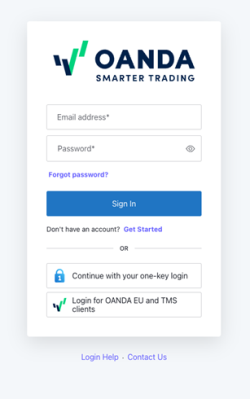
- Web (OANDA Trade or TradingView): Go to oanda.com, click “Log In,” enter your username/email and password. Enable two-factor authentication (2FA) via app or SMS for added security.
- Desktop (fxTrade or MT4/MT5): Launch the app, input credentials; saved usernames auto-populate, but passwords are required each time.
- Mobile App: Open the app, use one-key login (if enabled) or email/password with 2FA.
- Troubleshooting: If locked out, use the “Forgot Password” link or contact support. All platforms support session timeouts for inactivity.
Two-step verification is mandatory on mobile and recommended everywhere to prevent unauthorized access.
Account Verification and Security Process
Verification is mandatory before trading live and typically completes in 1-2 business days. Required documents include:
- Identity: Government-issued ID (passport, driver’s license).
- Proof of Address: Utility bill, bank statement (dated within 3 months).
- Financial Details: For higher limits, source of funds proof.
Upload via the secure portal on the OANDA website or app. Security features include encrypted data transmission (SSL), biometric login on mobile, API keys for algo trading with IP whitelisting, and VPS hosting options. OANDA monitors for suspicious activity and complies with KYC/AML standards. Once verified, you gain full access; delays are rare but can occur for high-risk profiles.
Trading Accounts and Key Conditions
OANDA offers flexible account types tailored to trader levels. All use USD base currency (others convertible), with no inactivity fees for active users (though BrokerChooser notes a $14/month fee after one year).
| Account Type | Minimum Deposit | Spreads (EUR/USD Avg.) | Commission | Leverage (Forex, Retail) | Swap-Free Option | Best For |
|---|---|---|---|---|---|---|
| Standard | $0 | 1.0-1.7 pips | None | Up to 50:1 (US), 30:1 (EU) | Yes (Islamic) | Beginners |
| Core Pricing | $10,000 | 0.2 pips + $5/100k | Yes | Same as above | Yes | Active Traders |
| Elite Trader | $3,000+ (tiers) | Up to 30% reduction | Rebates ($3-17/million) | Same | High-Volume Pros |
Key conditions: No requotes, market execution only. Overnight swaps apply (triple on Wednesdays). Margin calls at 50% equity; stops at 20%. Crypto leverage is 2:1 in the US.
Platforms and Tools for Trading
OANDA provides intuitive, award-winning platforms with 100+ indicators, backtesting, and API access via Algo Labs (excluding Australia). Integration with TradingView and MT4/MT5 adds versatility.
WebTrader and Desktop Platforms
WebTrader: Browser-based (Chrome, Firefox, Safari), no download needed. Features drag-and-drop charts, 9 timeframes, alerts, and one-click trading. Access via oanda.com/trade.
Desktop Platforms (fxTrade and MT4/MT5): For advanced users, offering multi-monitor support and automation.
Download processes:
- Windows: Visit oanda.com/us-en/trading/platforms, select “Download fxTrade Desktop” (.exe file). Run installer, log in with credentials. Compatible with Windows 10+.
- Mac: Download .dmg from the same page. Drag to Applications folder, launch, and sign in. macOS 10.15+ supported.
- Linux: Use Wine emulator or download launcher shortcut from the site; limited native support, but functional via compatibility layer.
Note: fxTrade Desktop is discontinued for accounts opened after January 2023; new users default to MT4/MT5 or TradingView desktop apps (download from metaquotes.net or tradingview.com).
OANDA Mobile Trading App
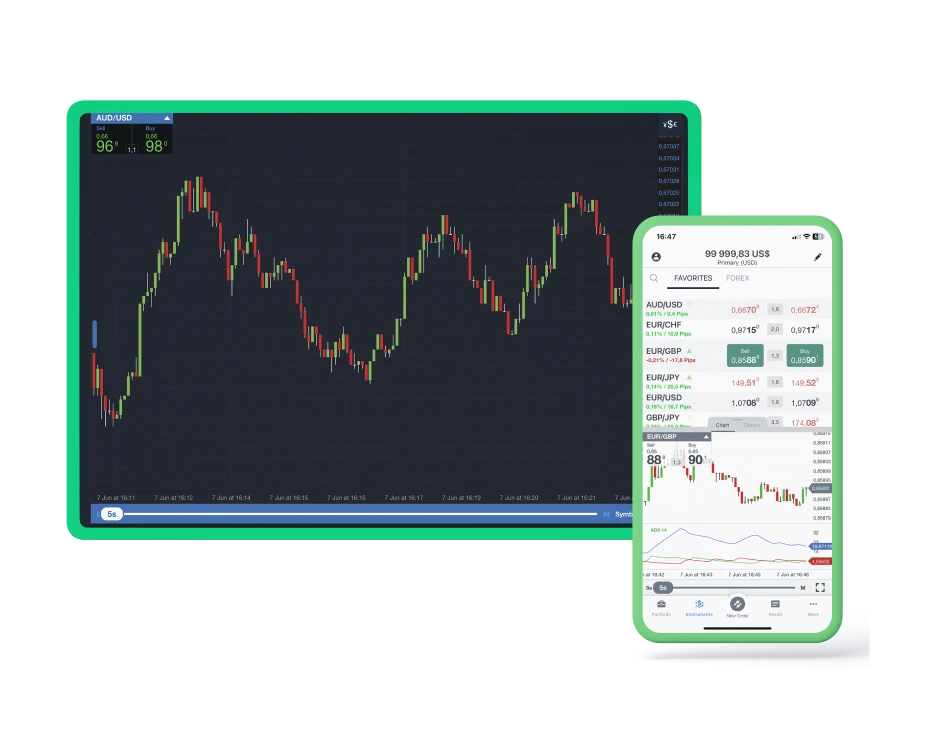
The OANDA app (v5.7+ for iOS, v5.6+ for Android) mirrors full platform features, including TradingView charts, push alerts, and portfolio tracking. Rated 4.5/5 on app stores for usability.
Download processes:
- iOS (iPhone/iPad): Open App Store, search “OANDA: Forex, Crypto Trading,” tap “Get.” Requires iOS 12.0+. Sign in post-install.
- Android: Go to Google Play Store, search “OANDA,” install. Android 7.0+ needed. Enable permissions for notifications.
Jailbroken/rooted devices are blocked for security.
Market Assets and Instruments Available
OANDA focuses on forex but offers diversification (region-dependent; no CFDs in US).
| Category | Instruments Available | Examples | Notes |
|---|---|---|---|
| Forex | 69 pairs | EUR/USD, GBP/JPY | 24/5 trading |
| CFDs | 200+ (indices, commodities, metals) | S&P 500, Gold, Oil | EU/AU/UK only; low fees (0.7 pips indices) |
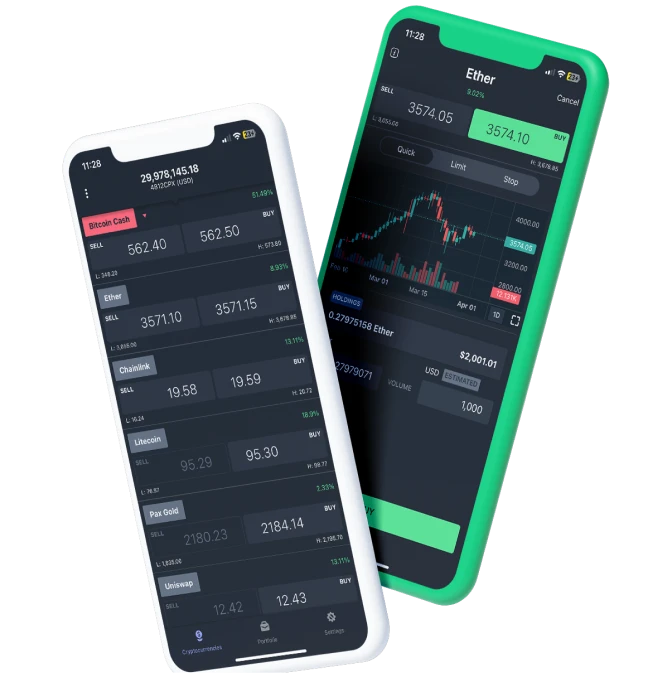
| Cryptocurrencies | 10+ (spot/CFDs) | BTC/USD, ETH/USD | US via Paxos; 0.35% spot fee under $50k volume |
| Stocks | 1,000+ US/global | Apple, Tesla | Commission-free for EU; CFDs elsewhere |
| Other | Bonds, ETFs | US Treasuries | Limited selection |
Total: Over 4,000 symbols. Crypto unavailable for UK retail.
Deposits, Withdrawals, and Payment Methods
Funding is fee-free for most methods, with instant processing for cards/PayPal. Minimum deposit: $0 (but $10+ practical).
| Method | Deposit Time/Fees | Withdrawal Time/Fees |
|---|---|---|
| Bank Wire | 1-5 days / Free | 1-5 days / $15-25 |
| Credit/Debit Card | Instant / Free | Instant (1st/month free; $5 after) |
| PayPal | Instant / Free | 1 day / 2% (min $5) |
| Skrill | Instant / Free | 1 day / Free |
Withdrawals require verification; same method as deposit for cards. No e-wallet for US crypto.
OANDA Promotions and Bonus Programs
As of October 2025, OANDA runs a Welcome Bonus for new clients: Profits doubled or losses covered for one month, up to $250 (any deposit), $2,500 ($5,000 deposit), or $10,000 ($20,000 deposit). Trade volume thresholds apply (e.g., 10 lots for $250 tier); ends December 31, 2025. The Elite Trader program offers tiered rebates ($3-17 per million traded), up to 30% spread discounts, and TradingView reimbursements (Premium for €3,000 deposit, Elite for €10,000). A Smarter Trading Bonus (July-October 2025) provides similar risk-free trading. No deposit bonuses; all T&Cs on oanda.com/promotions.
Learning Materials and Research Tools
OANDA excels in research (Best in Class 2025), with MarketPulse (daily analysis, podcasts), Trading Central/Autochartist signals, sentiment data, and Dow Jones feeds. Education includes:
- Beginner Resources: Videos, articles on basics (e.g., “What is Forex?”), webinars.
- Advanced: Algo Labs tutorials, backtesting guides, YouTube series (weekly streams, Shorts).
- Tools: 89 indicators, API for custom bots, economic calendar.
Customer Support and Service Quality
Support operates 24/5 via live chat (instant), email (responses in hours), and phone (US: +1-212-299-1600; regional lines). No 24/7, but quality is high—4.1/5 on Trustpilot, praised for responsiveness. Elite Traders get dedicated managers. Help center covers FAQs, but chat resolution averages 2-5 minutes.
Final Verdict – Is OANDA a Reliable Broker?
Yes, OANDA is a highly reliable broker for 2025, ideal for forex-focused traders valuing research and ease of use. Its top-tier regulation, segregated funds, and transparent execution build trust, while low entry barriers suit beginners. Pros include outstanding tools, no minimum deposit, and innovative bonuses; cons are limited US offerings (no CFDs/stocks) and higher spreads vs. ECN peers. Rated 4.4/5 by BrokerChooser and 93/99 Trust Score, it’s a safe choice—start with a demo to test.