

Globally regulated trading platform offering forex and CFD trading with low spreads and fast execution.
ASIC, CySEC, IFSC, FSCA, DFSA
XM is an international online broker known for providing reliable and transparent trading services to clients across more than 190 countries. Founded in 2009, XM has built a reputation as a trusted platform for both beginners and professional traders. The company’s mission is to make online trading accessible to everyone through advanced technology, flexible trading conditions, and educational support.
Whether you’re interested in forex, commodities, indices, or cryptocurrencies, XM offers a broad range of markets with competitive spreads and zero hidden fees — making it a strong choice for anyone seeking a regulated global broker.

XM Regulation and Security Overview
XM operates under multiple top-tier financial regulators, including CySEC (Cyprus), ASIC (Australia), and IFSC (Belize). This ensures compliance with strict international financial standards, providing clients with a secure trading environment. All client funds are held in segregated accounts separate from the company’s operational capital, adding an extra layer of protection. Additionally, XM offers negative balance protection, meaning traders can never lose more money than they deposit.
Security measures like SSL encryption and data protection policies ensure that users’ personal and financial information remain confidential and safe.
Creating an Account with XM Broker
Opening an XM account is simple and can be completed in just a few minutes.
You’ll need to fill out a short registration form with basic personal details, select your preferred account type, and confirm your email address. After verification, you can log in to your personal area to start trading.
XM provides several account options to match different experience levels and trading goals — from micro accounts for beginners to professional setups for advanced traders.
How to Log In to XM Platform
Accessing your trading dashboard is straightforward. Visit the official XM website, click on the “Member Login” button, and enter your registered email and password.
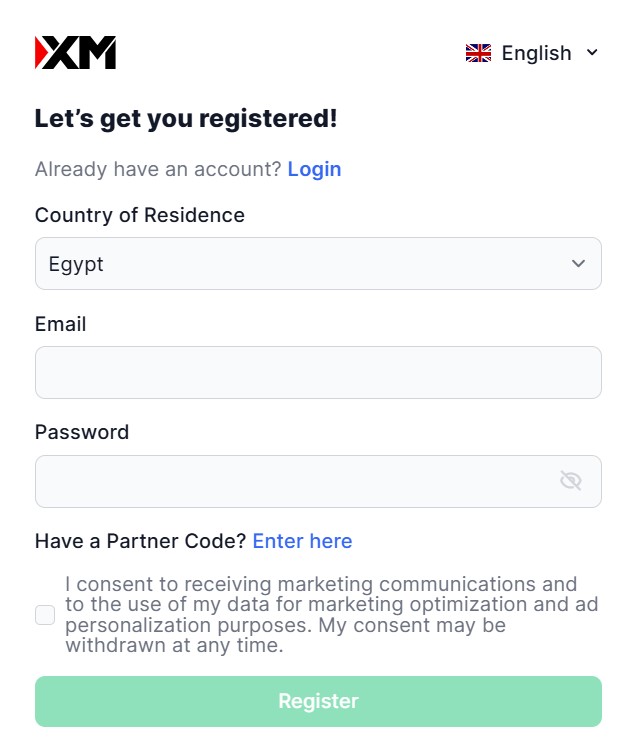
Traders can log in through the XM Client Portal or directly via MetaTrader 4/5 platforms. The interface is intuitive, offering access to account management, deposits, withdrawals, and real-time market data. XM also supports two-factor authentication (2FA) to strengthen account security.
XM Account Verification and KYC Process
To comply with international regulations, XM requires a Know Your Customer (KYC) verification. This step confirms your identity and helps prevent fraudulent activity.
Users must upload proof of identity (such as a passport or ID card) and proof of address (like a utility bill or bank statement). Once documents are submitted, XM typically verifies the account within 24 hours, allowing traders to access all features, including withdrawals.
Types of XM Trading Accounts and Conditions
XM offers four main account types:
- Micro Account – ideal for beginners, with low minimum deposits and smaller contract sizes.
- Standard Account – for intermediate traders looking for flexibility and competitive spreads.
- XM Ultra Low Account – tight spreads starting from 0.6 pips, no commissions.
- Shares Account – designed for stock traders, with direct access to global equities.
Leverage can go up to 1:1000, depending on the region and instrument. XM also provides no-requote execution, meaning orders are filled instantly at real market prices.
XM Platforms for Trading
RoboForex provides several advanced trading platforms to meet the needs of both beginner and professional traders. Clients can choose from MetaTrader 4, MetaTrader 5, R StocksTrader, and cTrader, each offering unique tools, analytical functions, and execution speeds.
Desktop and WebTrader Platforms
RoboForex supports MT4, MT5, and R StocksTrader Web Platform, accessible directly via any browser without installation.
For desktop use:
- Windows: Download the setup file from the official RoboForex website, run the installer, and log in using your account credentials.
- macOS: Users can install MT4 or MT5 using a compatible
.dmgfile or through Wine-based emulation provided by RoboForex’s installation guide. - Linux: MT4 and MT5 can be installed through Wine or PlayOnLinux with detailed setup instructions available in the support section.
These platforms include customizable charts, automated trading (Expert Advisors), and real-time analytics to enhance decision-making.
XM Mobile App
For traders who prefer mobility, XM offers mobile versions of MT4, MT5, and the proprietary XM Trading app for both Android and iOS devices.
- On Android, download the app from Google Play Store, install it, and log in using your XM account credentials or server details.
- On iOS, visit the App Store, find the respective trading app (MT4, MT5, or XM Trading), install it, and connect using your login credentials.
Mobile platforms allow full control of trading accounts, access to real-time charts, technical indicators, and order execution directly from smartphones or tablets.
Financial Instruments Available on XM
XM provides access to over 1,000 trading instruments, including:
- Forex pairs (major, minor, and exotic)
- Stock CFDs
- Equity indices
- Precious metals
- Energy products
- Cryptocurrencies
This wide selection ensures that every trader can diversify their portfolio and explore new market opportunities within a single trading ecosystem.
XM Deposit and Withdrawal Methods
XM supports a variety of convenient and secure payment methods such as Visa/Mastercard, Skrill, Neteller, bank transfers, and local payment gateways.
Most deposits are processed instantly, while withdrawals are typically completed within 24 hours. XM charges no internal fees, ensuring that traders keep more of their profits. The broker also supports multiple currencies to accommodate clients worldwide.
Promotions and Bonuses Offered by XM
XM frequently runs promotional campaigns for both new and existing traders. Common offers include:
- Welcome Bonus (no deposit required)
- Deposit Bonuses
- Loyalty Program Points redeemable for trading rewards
These bonuses vary by region and regulatory restrictions, so traders should always review the latest terms on the official XM website before participating.
XM Education and Research Resources

XM is well known for its strong focus on trader education. The broker provides free access to:
- Live webinars hosted by professional analysts
- Video tutorials on trading strategies and market analysis
- Daily research and market insights
- Economic calendar and trading tools
This makes XM an excellent choice for beginners looking to develop their trading knowledge and improve their performance over time.
XM Customer Care and Support
XM offers multilingual customer support available 24/5 through live chat, email, and phone.
The support team is responsive, professional, and well-trained to assist with everything from technical issues to account management questions.
Traders can also access an extensive FAQ section that covers common queries related to trading, deposits, and verification.
Final Thoughts on XM Broker
XM stands out as a globally recognized, transparent, and client-focused broker. Its combination of strong regulation, fast execution, multiple platforms, and excellent educational resources makes it suitable for all levels of traders.
Whether you’re just starting or seeking a professional trading environment, XM offers reliability, global accessibility, and a user-friendly ecosystem that continues to set industry standards.